
Choose the payment route that matches your submission process.
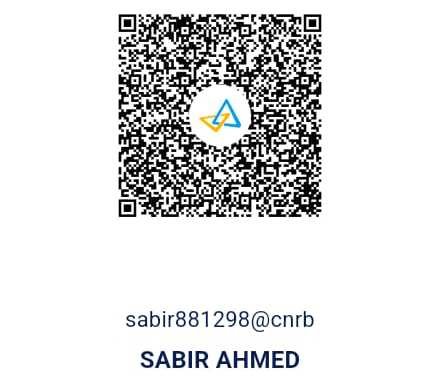
Bank transfer and QR payment details are preserved here, now presented with the same visual language as the rest of the redesigned site.
How to Complete Payment
1. Acceptance Notification - You will receive an official acceptance email along with the invoice after successful completion of the review process.
2. Select Payment Method - Choose a convenient payment option such as PayPal, UPI, Razorpay, Bank Transfer, or other available payment gateways.
3. Complete the Payment - Enter the required payment details and ensure the payment amount matches the invoice provided by IRS Publisher.
4. Submit Payment Confirmation - For bank transfers or manual transactions, you may be required to upload or email the payment receipt or transaction proof.
5. Verification Process - Payments are verified by the finance team within the standard processing period.
6. Receipt & Confirmation - After successful verification, an official payment confirmation and receipt will be shared via email.
Terms & Conditions
By submitting a manuscript to IRS Publisher, authors agree to comply with the following terms and conditions regarding publication, processing fees, and payment procedures.
1. Manuscript Submission
Submission of a manuscript does not guarantee acceptance for publication.
All submitted manuscripts undergo peer review and editorial assessment before a final decision is made.
2. Article Processing Charges (APCs)
APCs are applicable only after the manuscript has been accepted for publication.
Official payment instructions will be shared with the corresponding author after acceptance confirmation.
3. Payment Policy
Payments must be completed within the deadline mentioned in the acceptance notification.
IRS Publisher accepts secure payment methods such as PayPal, Bank Transfer, UPI, Payoneer, Western Union, and other approved channels.
4. Non-Refundable Fees
Processing and publication fees are non-refundable once the review or publication process has commenced.
No refund requests will be accepted after final publication approval.
5. Currency & Conversion
International payments may be processed in USD or other accepted currencies.
Any currency conversion charges or bank transaction fees shall be the responsibility of the author.
6. Corrections After Publication
Authors may request minor corrections after publication.
Additional charges may apply for major corrections or post-publication revisions.
7. Author Responsibilities
Authors must ensure that submitted work is original, authentic, and free from plagiarism.
Authors are responsible for the accuracy of all submitted data, references, and author details.
8. Publication Rights
IRS Publisher reserves the right to edit, format, accept, or reject manuscripts based on editorial standards and publication ethics.
9. Security & Privacy
All payment transactions are processed through secure and encrypted systems.
Personal and financial information will remain confidential and protected.
10. Policy Updates
IRS Publisher reserves the right to update or modify these terms and conditions at any time without prior notice.